A loan condition tracking platform that keeps every processor in control
Conditionly is a standalone web application built for loan processors to manage client loan conditions from a single, unified workspace. Processors can track every client's document checklist, assign loan officers, monitor completion progress in real time, and trigger bulk email reminders — all without switching tools.
Loan processing is high-stakes and repetitive. Processors manage dozens of clients simultaneously, each requiring a different set of conditions — passports, salary slips, tax returns, rental agreements — across different officers and loan types. Without a dedicated tool, things slip through. Conditionly brings clarity to that chaos.
The core question: How do you design a workflow tool that keeps a busy loan processor oriented across many clients, many officers, and many moving conditions — without adding cognitive overhead?
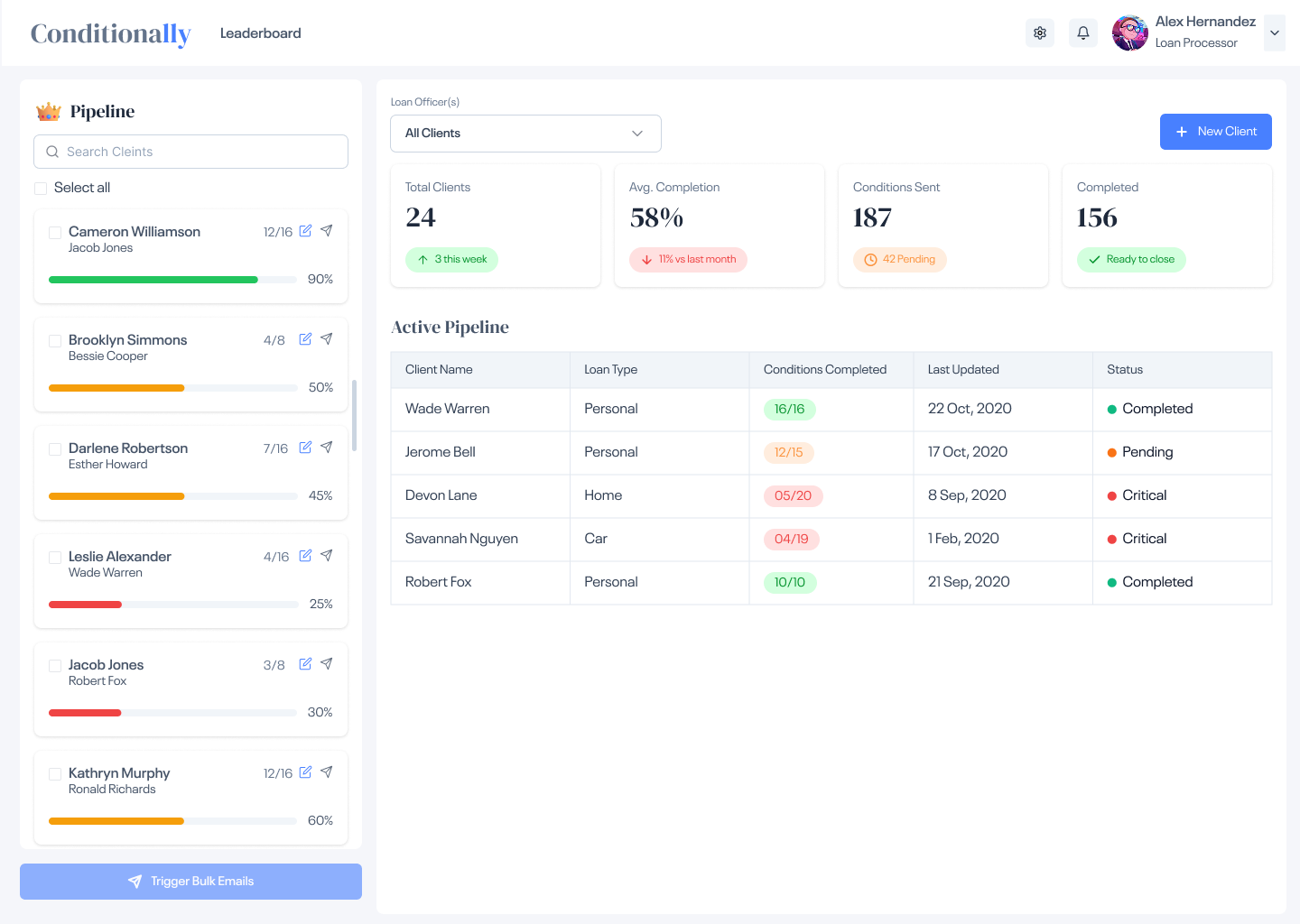
The split-panel layout keeps the client leaderboard persistent on the left while the right panel shows live stats and the active pipeline table. Processors get a full picture of all clients, progress bars, conditions sent, and completion rates — filterable by loan officer or across all clients at once.
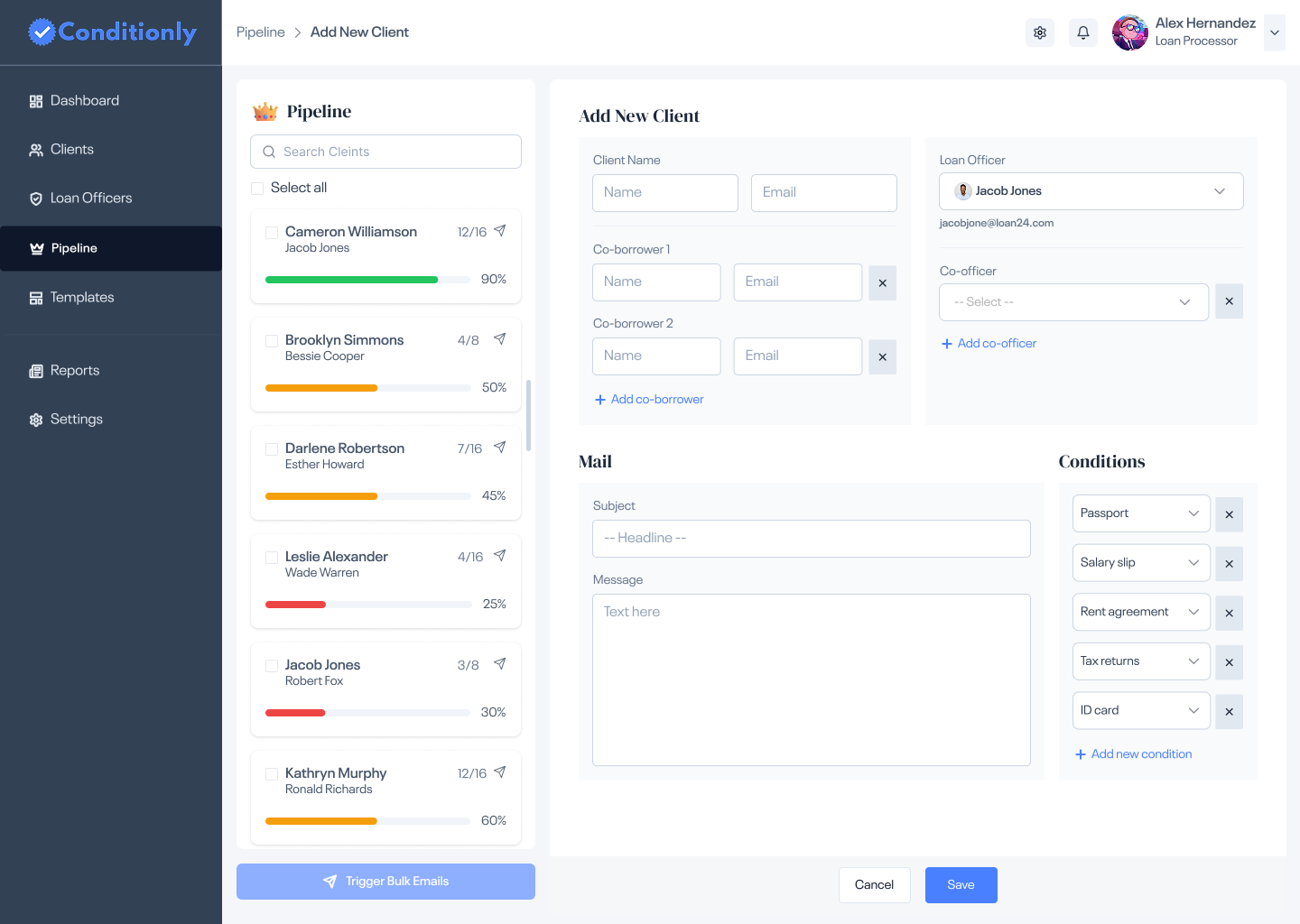
A structured intake form to add a client, assign a loan officer, set co-borrowers, compose the initial conditions email, and select required document conditions — all in a single save action.
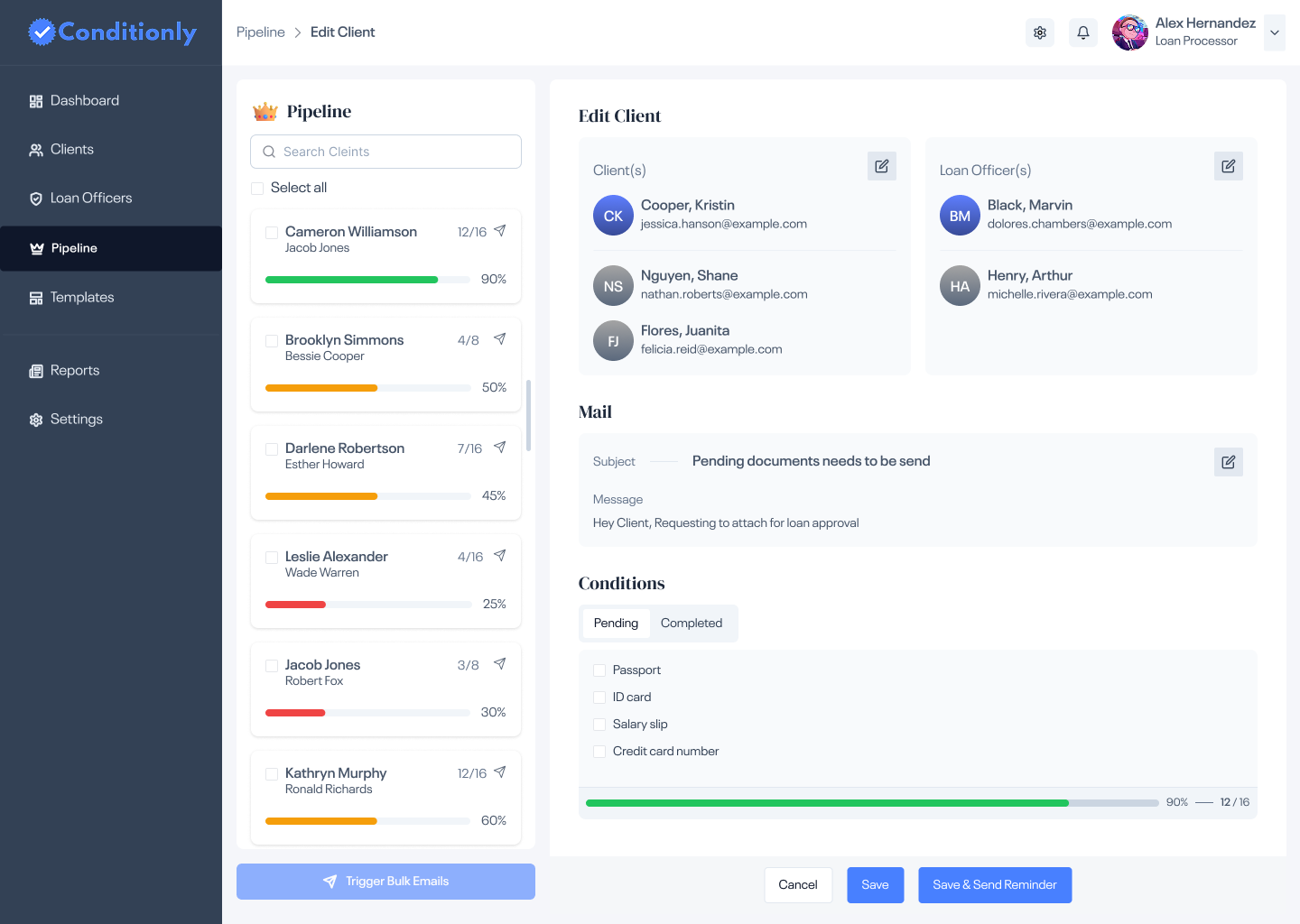
View all borrowers and co-officers on a loan, toggle between Pending and Completed conditions, and send reminders directly from the edit screen — with a live progress bar showing completion at a glance.
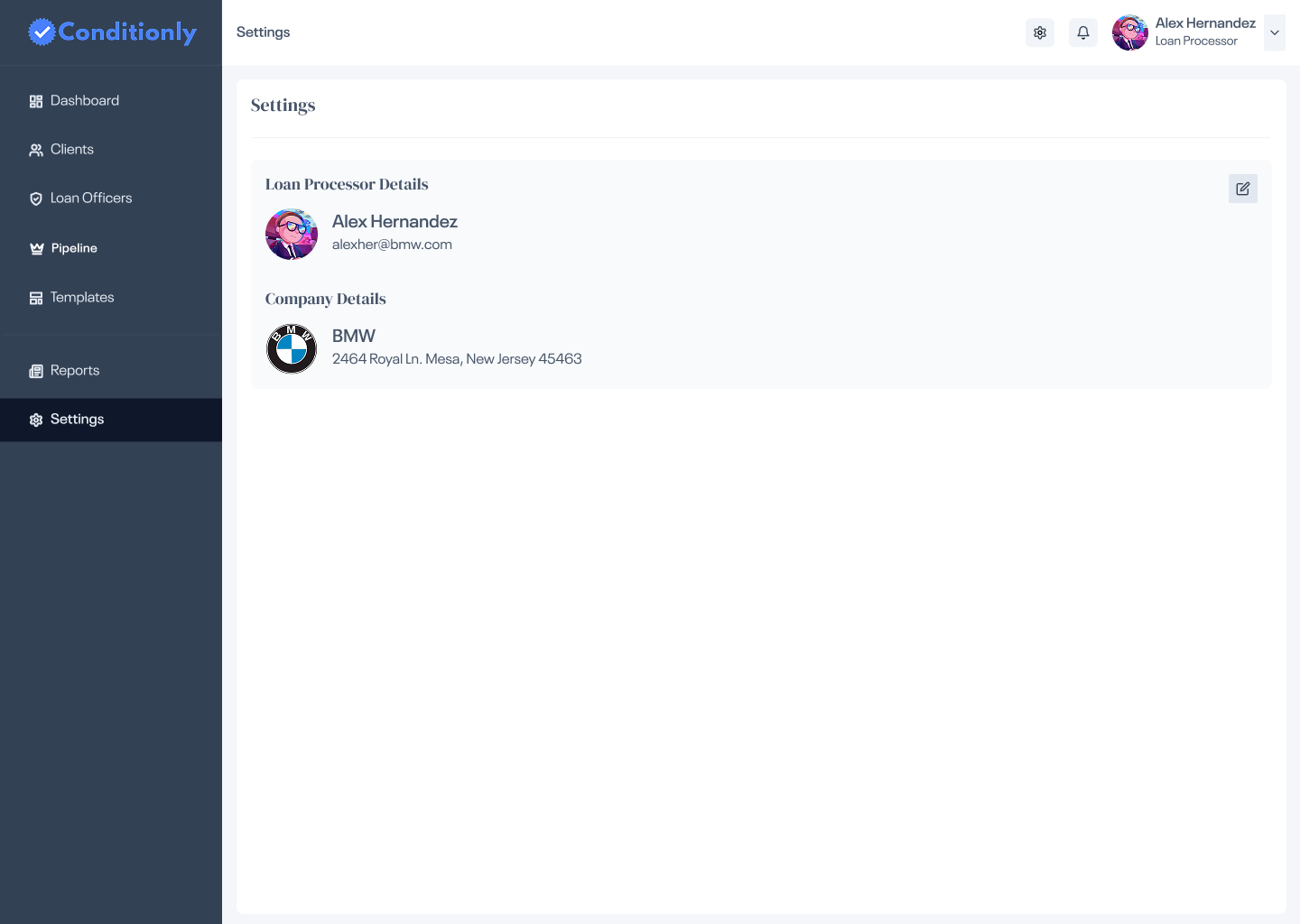
A clean settings panel for loan processors to manage their profile and company details — editable in-place with a minimal form, keeping configuration fast and out of the way.
The client list on the left never disappears — it doubles as a leaderboard and a nav panel. Progress bars colour-code each client's status (green, amber, red) at a glance, so processors can instantly see who needs attention without opening anything.
Completed, Pending, and Critical states each carry a distinct colour and pill label throughout the pipeline table. The same colour logic applies to the progress bars — creating a consistent visual language that doesn't require processors to read every line.
When a client is added or all conditions are completed, a modal surfaces with a positive confirmation — a thumbs-up for onboarding, a party popper for completion. These micro-interactions acknowledge the processor's work and add a human touch to an otherwise administrative tool.
The "Trigger Bulk Emails" button at the bottom of the leaderboard lets processors send reminders to multiple clients in one click. Select all, or hand-pick — either way, a task that once took minutes per client takes seconds for the whole pipeline.
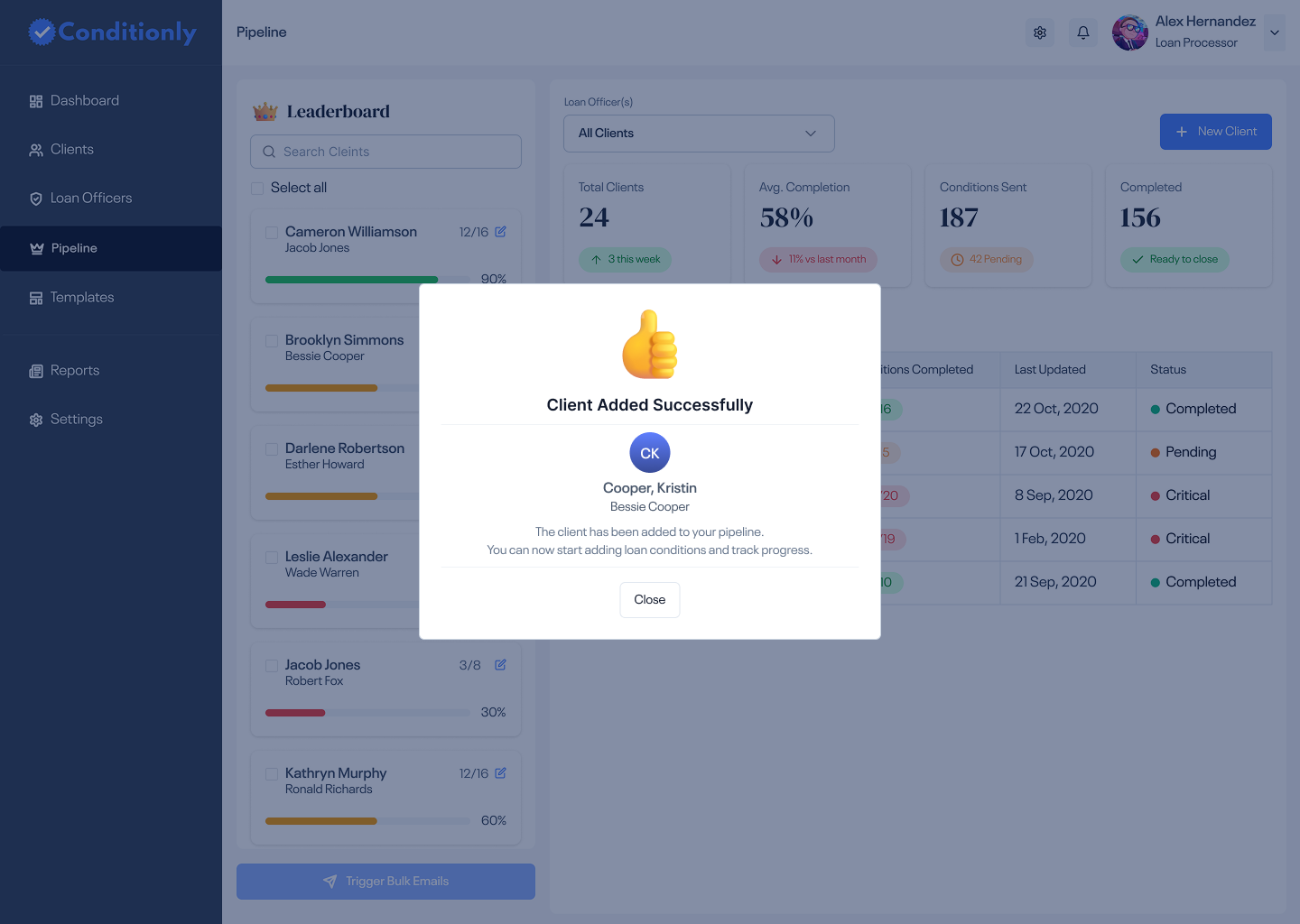
A confirmation modal acknowledges the new client entry, shows the assigned loan officer, and prompts the processor to start adding conditions — closing the loop on the intake flow.
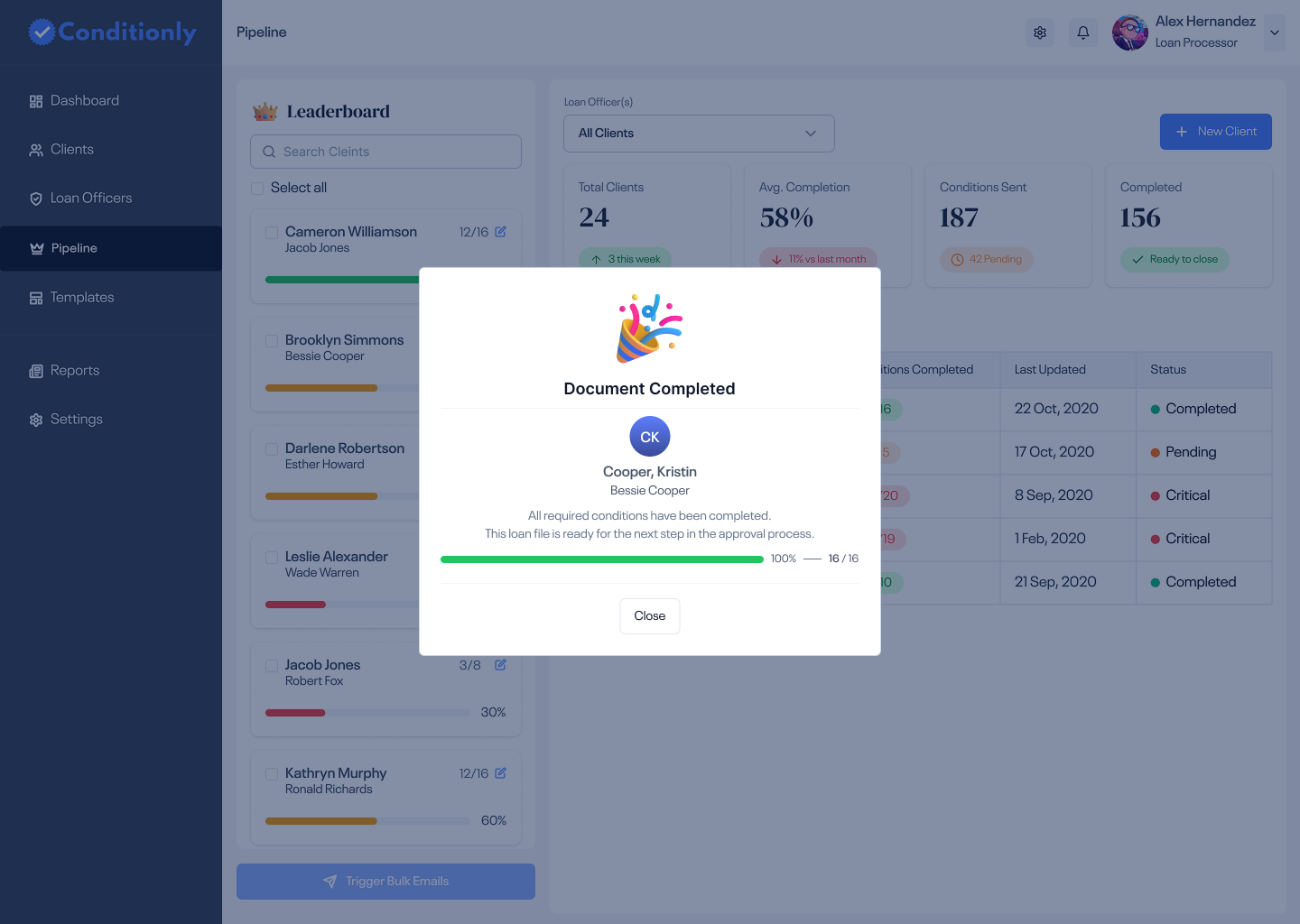
When all 16 of 16 conditions are fulfilled, a celebratory modal confirms the file is ready for the next step in the approval process — with a full green progress bar and a clear call to close out.
Client intake, condition tracking, officer assignment, and bulk email reminders — all in a single tool.
Live completion percentages and colour-coded status across every client in the pipeline, always visible.
Processors can remind multiple clients at once — eliminating the repetitive task of sending individual follow-ups.
Pending and Completed condition tabs, plus critical status flags, ensure nothing falls through the cracks on any loan file.